Restore Old Photos Instantly with AI
December 18, 2025
A Simple Step-by-Step Guide Using AI Photo Restoration
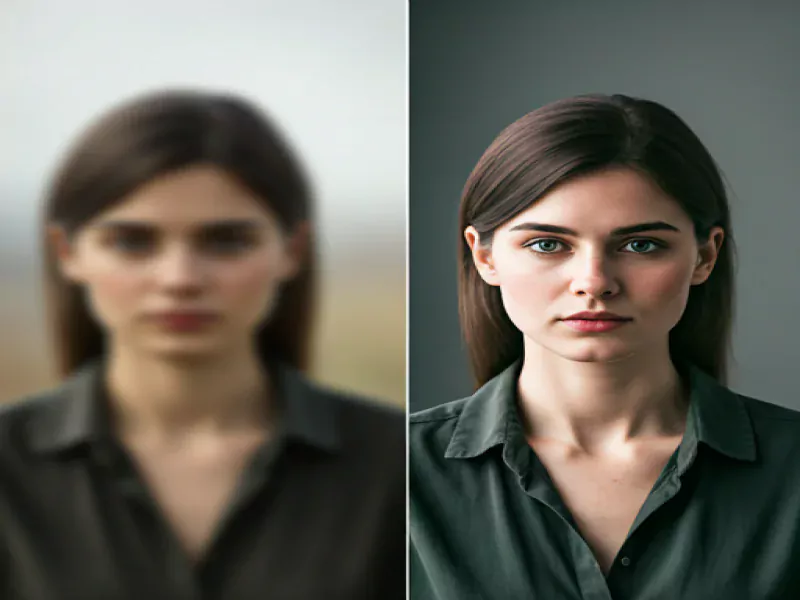
Bring faded memories back to life in seconds. With an AI photo restoration app, you can repair old, blurry, or damaged photos automatically - no editing skills required.
This guide shows you how to restore old photos using AI, from upload to final export.
Why Use an AI Photo Restoration App?
Traditional photo editing takes time and expertise. AI-powered restoration makes the process:
Fast – restore photos in seconds
Automatic – no manual editing
Accurate – trained on thousands of old photos
Beginner-friendly – one-tap results
AI technology intelligently detects faces, colors, damage, and missing details to deliver natural-looking results.
Step 1: Upload Your Old Photo
Start by uploading your image:
Printed photos (scanned or photographed)
Faded, damaged, or blurry images
Black-and-white photos
📱 Supported formats typically include JPG, PNG, and HEIC.
Step 2: Let AI Analyze the Photo
Once uploaded, the AI automatically:
Detects faces and key details
Identifies scratches, cracks, and noise
Analyzes color fading and blur
This analysis ensures the restoration is customized for each photo.
Step 3: Apply AI Restoration
With a single tap, the app:
Removes scratches and dust
Sharpens facial features
Restores faded colors
Improves clarity and resolution
No sliders or complex tools—AI handles everything.
Step 4: Enhance Faces with AI Face Repair
For portraits and family photos:
AI reconstructs eyes, skin, and facial details
Blurry faces become clearer and more natural
Maintains realistic textures without over-smoothing
Perfect for old family portraits and historical images.
Step 5: Colorize Black-and-White Photos (Optional)
Turn black-and-white photos into color:
AI adds realistic, era-accurate colors
Skin tones and clothing remain natural
Original lighting and shadows are preserved
Colorization is optional and fully reversible.
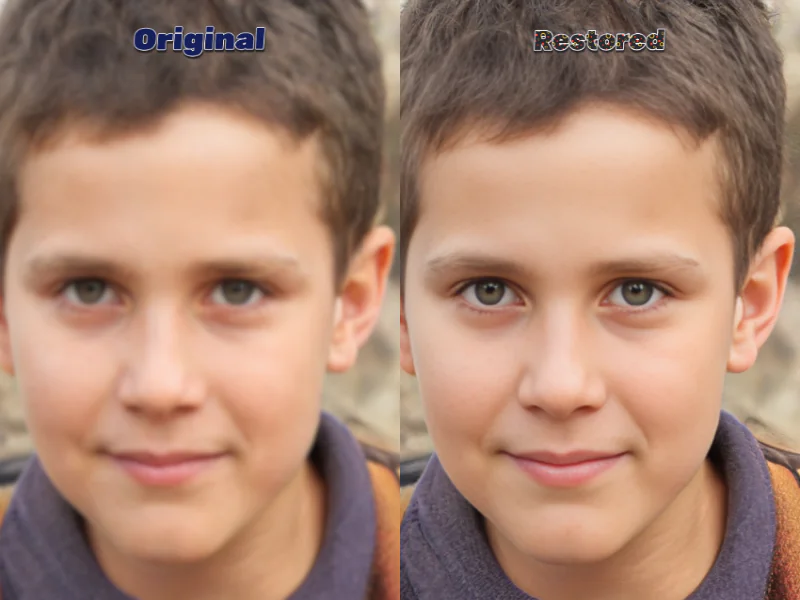
Step 6: Review Before and After
Instantly compare results:
Original vs restored photo
Adjust enhancement strength if available
Ensure the photo still feels authentic
AI restoration enhances the image without changing its identity.
Step 7: Save and Share Your Restored Photo
Export your restored photo:
High-quality resolution
Ready for printing or sharing
Stored securely in your gallery or cloud
📤 Share with family, friends, or on social media.
Best Results Tips for AI Photo Restoration
Use clear scans or well-lit photos
Avoid heavy compression before upload
Restore one photo at a time for best accuracy
Preserve Memories Effortlessly with AI Photo Restoration
An AI photo restoration app lets you restore old photos instantly, bringing clarity, color, and detail back to treasured memories—all with a single tap.
No editing skills. No complex tools. Just beautiful results.